
CUSTOM RINGTONE MAKER
Ringtone Maker • MP3 Cutter
Create your
perfect ringtone.
Choose audio from your library, browse files, record your own sound or extract audio from video. Keep the part you want or remove a section, adjust volume, speed and fades, then save as MP3, M4A or WAV. Share the result or set it as your phone sound.
Precise waveformLocal audio editingLight & dark mode
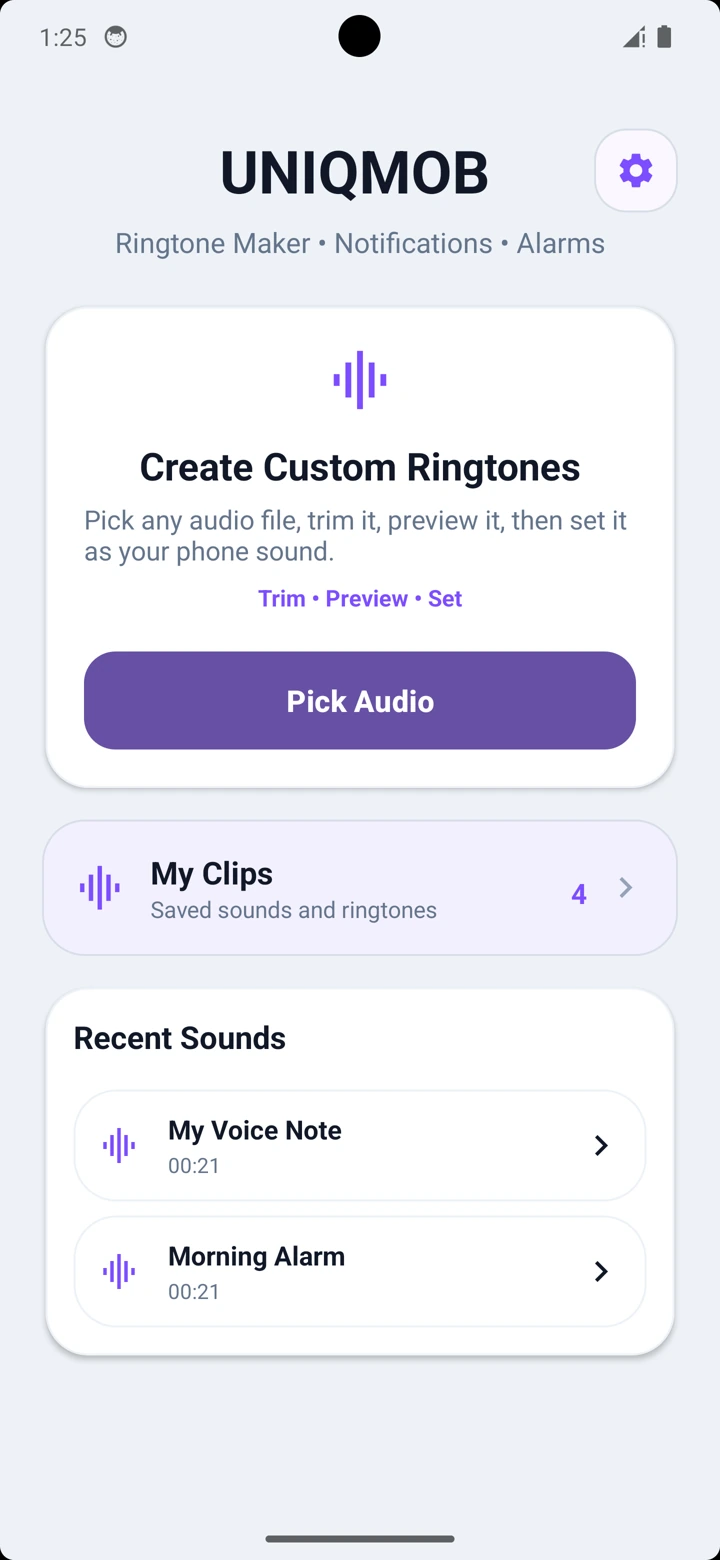
PickAny audio file
TrimWith precision
SetFor calls and alerts
DESIGNED AROUND YOUR WORKFLOW
Choose. Cut. Fine-tune.
Choose. Cut. Fine-tune.
Make it your sound.
Choose your audio, apply the cut, preview the result and review the output settings before saving.
WATCH THE TUTORIAL
Make your own ringtone.
Choose an audio file, trim the part you want, save your clip and set it as your phone sound. Follow the quick Ringtone Maker tutorial for Android.
Get Ringtone Maker on Google Play
CUT MP3 & TRIM AUDIO
Shape every second with precision.
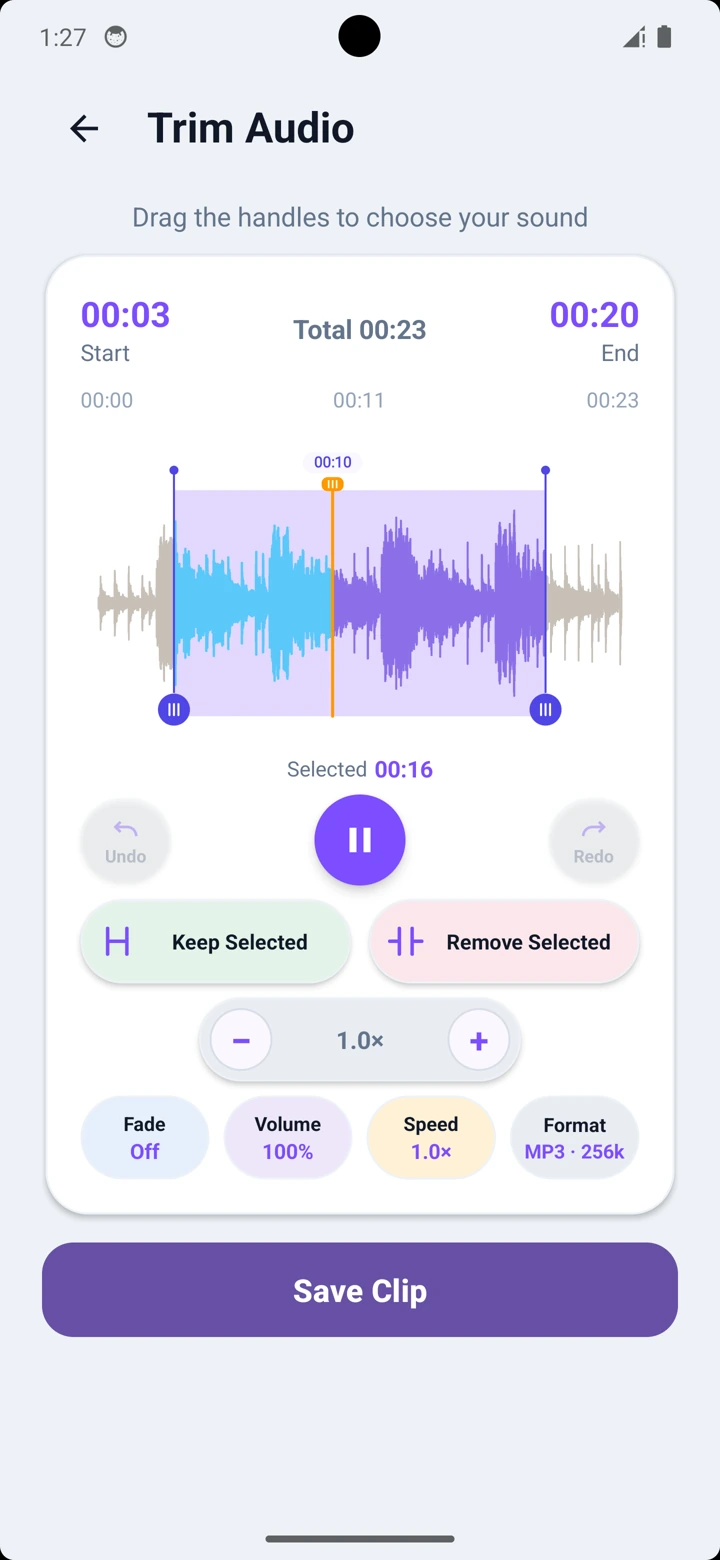
Use Keep Selected to keep the highlighted part, or Remove Selected to cut it out. Preview the updated waveform and use Undo or Redo to adjust your cuts within the editing session.
- Keep or remove the selected section
- Undo and redo cuts within the session
- Preview the result before saving
CHOOSE YOUR OUTPUT
Save as MP3,
Save as MP3,
M4A or WAV.
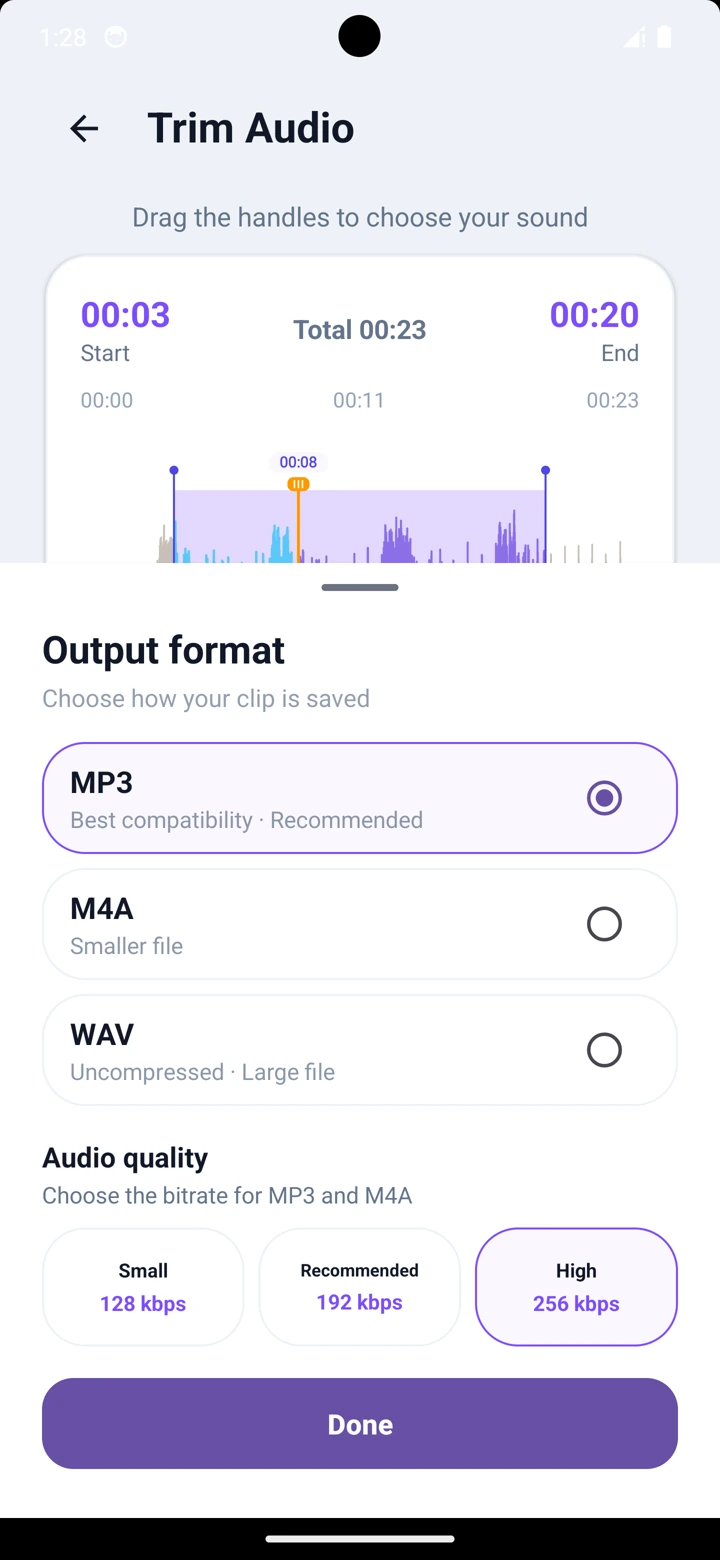
Choose the format before saving your clip. MP3 and M4A offer 128, 192 or 256 kbps quality choices. WAV uses its own output format without a bitrate selector.
- MP3, M4A and WAV export
- 128, 192 or 256 kbps for MP3 and M4A
- Check the saved clip’s duration, format and quality
SET SOUNDS INSTANTLY
Set your phone sound.
Preview, rename, edit or share your clip, then set it as a ringtone, notification sound, alarm or contact ringtone.
- Ringtone, notification, alarm and contact actions
- Share clips with other apps
- Manage every saved sound
SMART EDIT WORKFLOW
Keep refining without starting over.
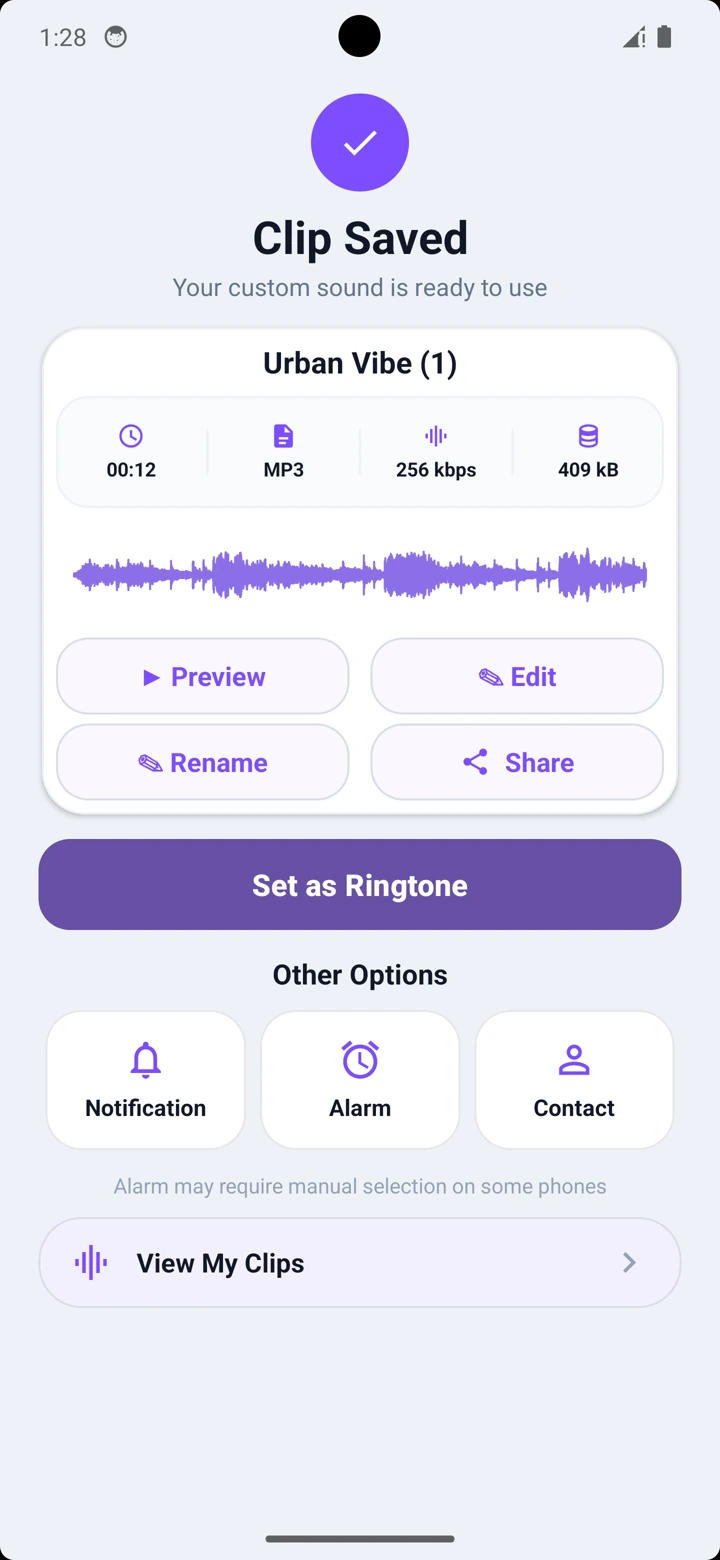
Open a saved clip’s edit options to fine-tune it, start again from its original audio or create a separate clip from the original. Choose Create New Clip from Original when you want to keep the saved version and make another sound.
- Fine-tune Current Clip
- Start Again from Original
- Create New Clip from Original
CONVERT VIDEO TO AUDIO
Turn videos into editable audio.
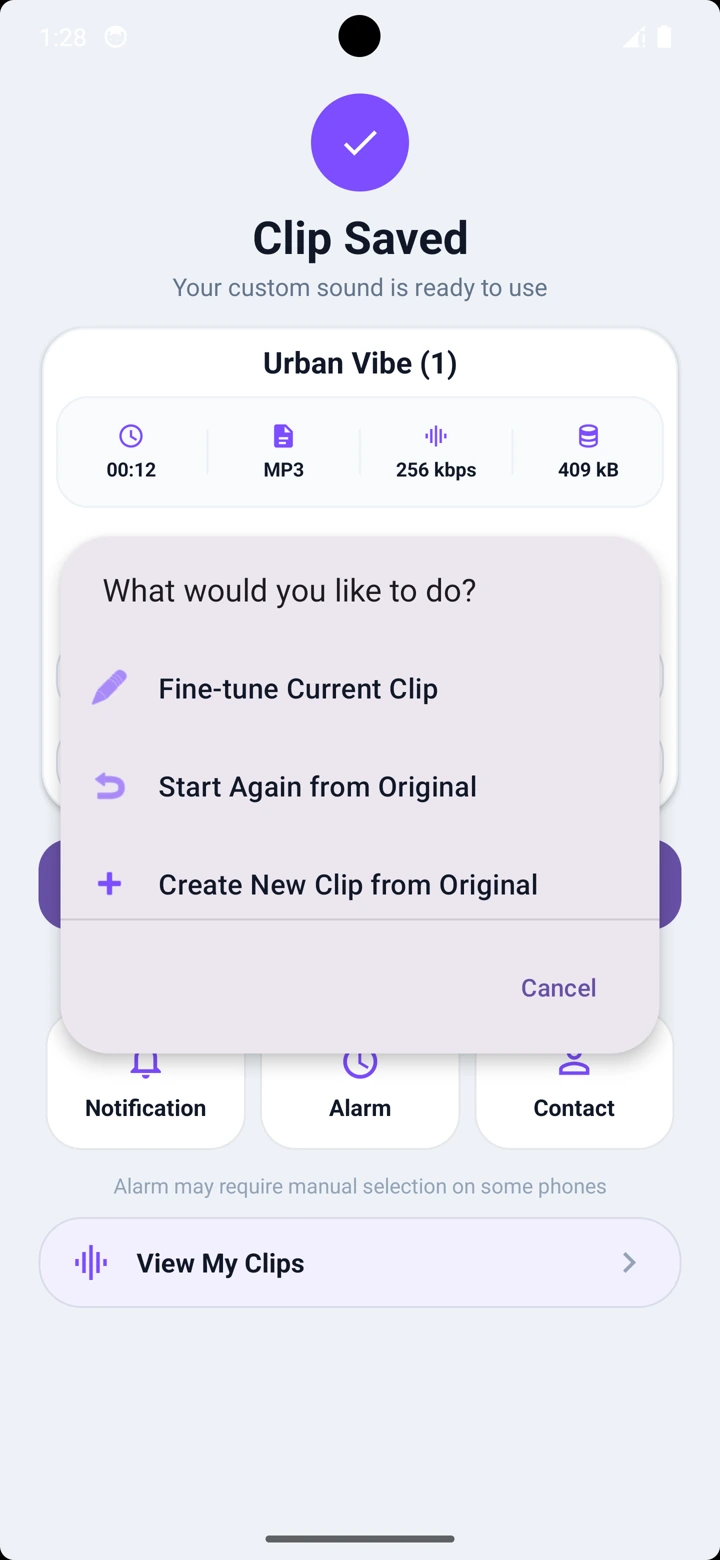
Choose a video from your device, extract its sound and open it directly in the waveform editor.
Learn how to extract audio from a video on Android →
- Extract audio from videos
- Trim extracted sound precisely
- Save, share or set it as a ringtone
POWERFUL AUDIO CONTROLS
Make every clip sound exactly right.
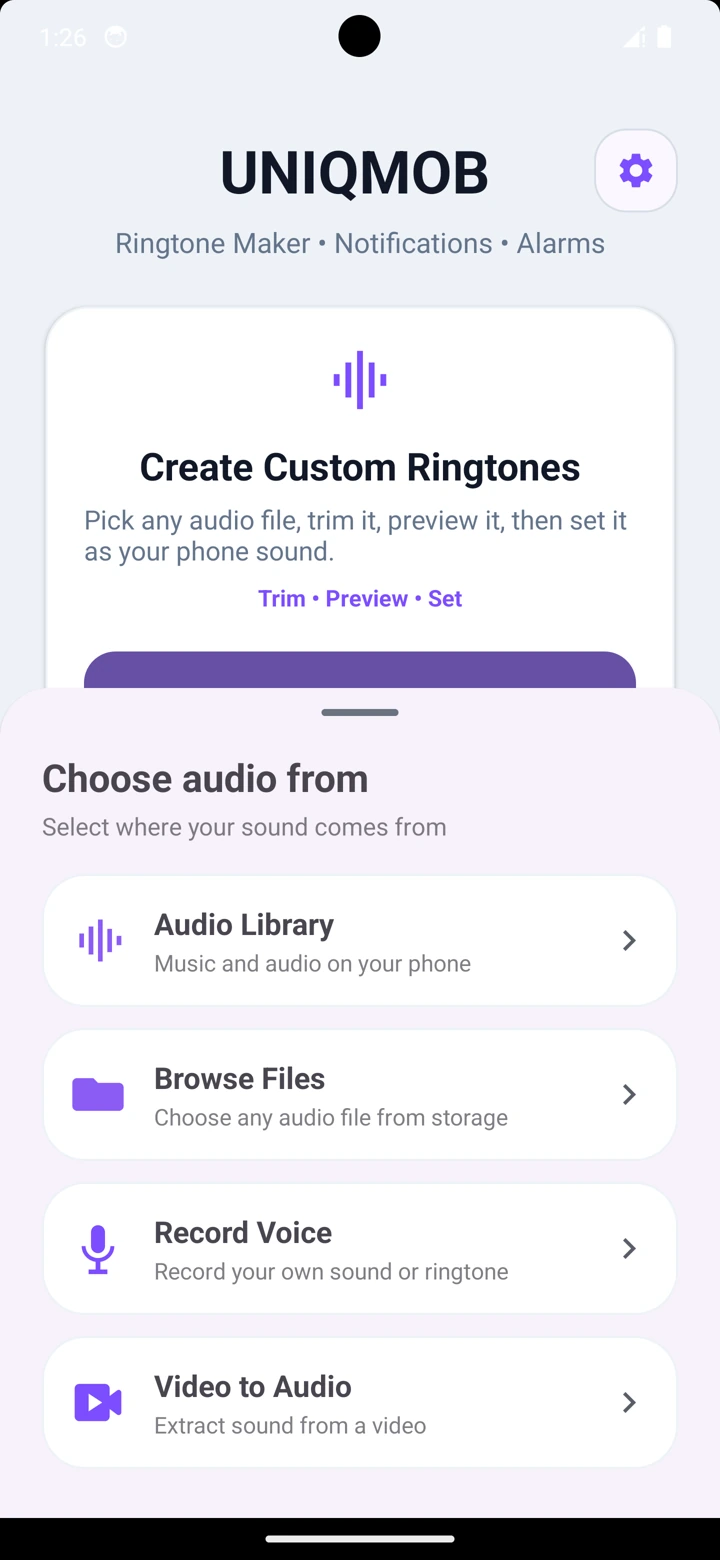
Adjust the volume, change playback speed and apply smooth fade effects while editing your audio.
- Boost or reduce audio volume
- Speed up or slow down your clip
- Add smooth Fade In and Fade Out effects
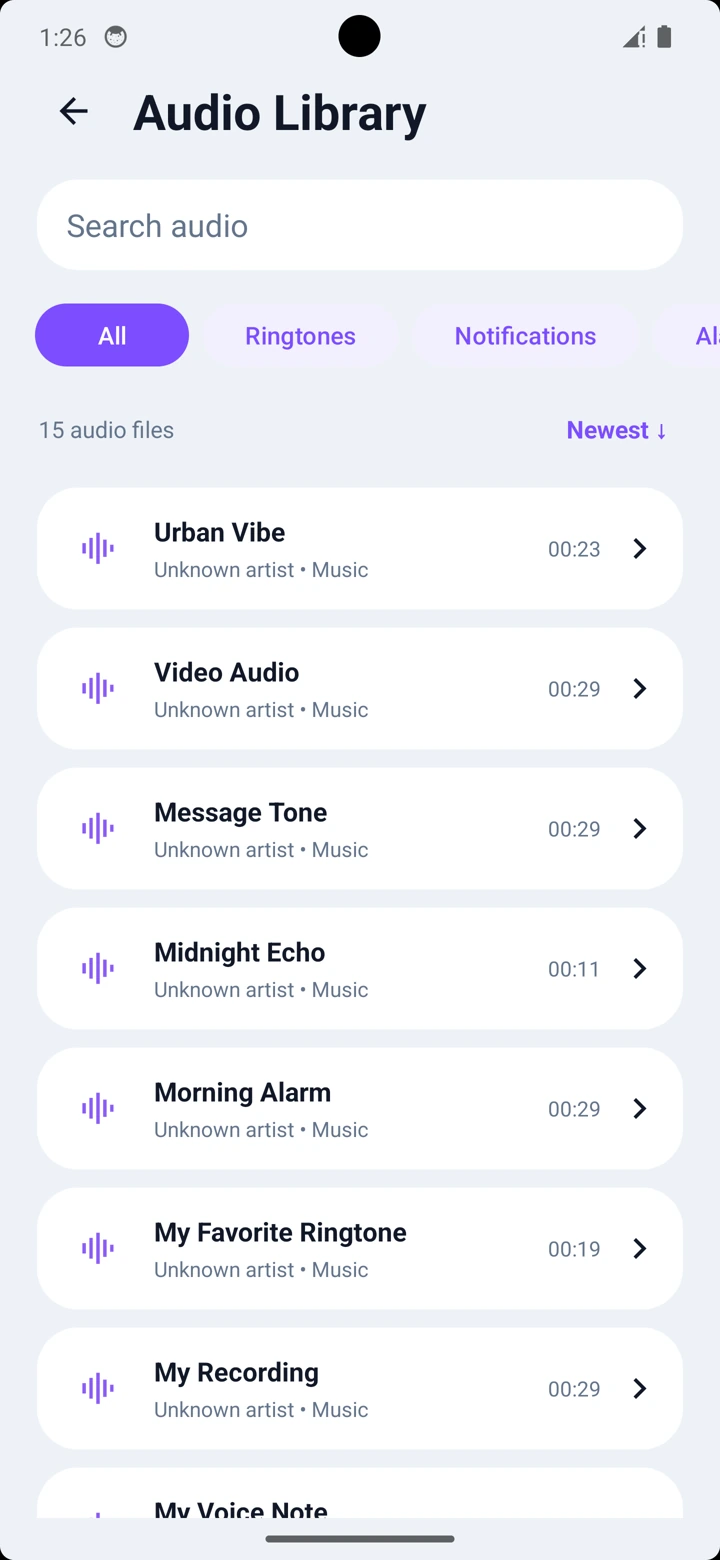
SMART AUDIO LIBRARY
Find every sound fast.
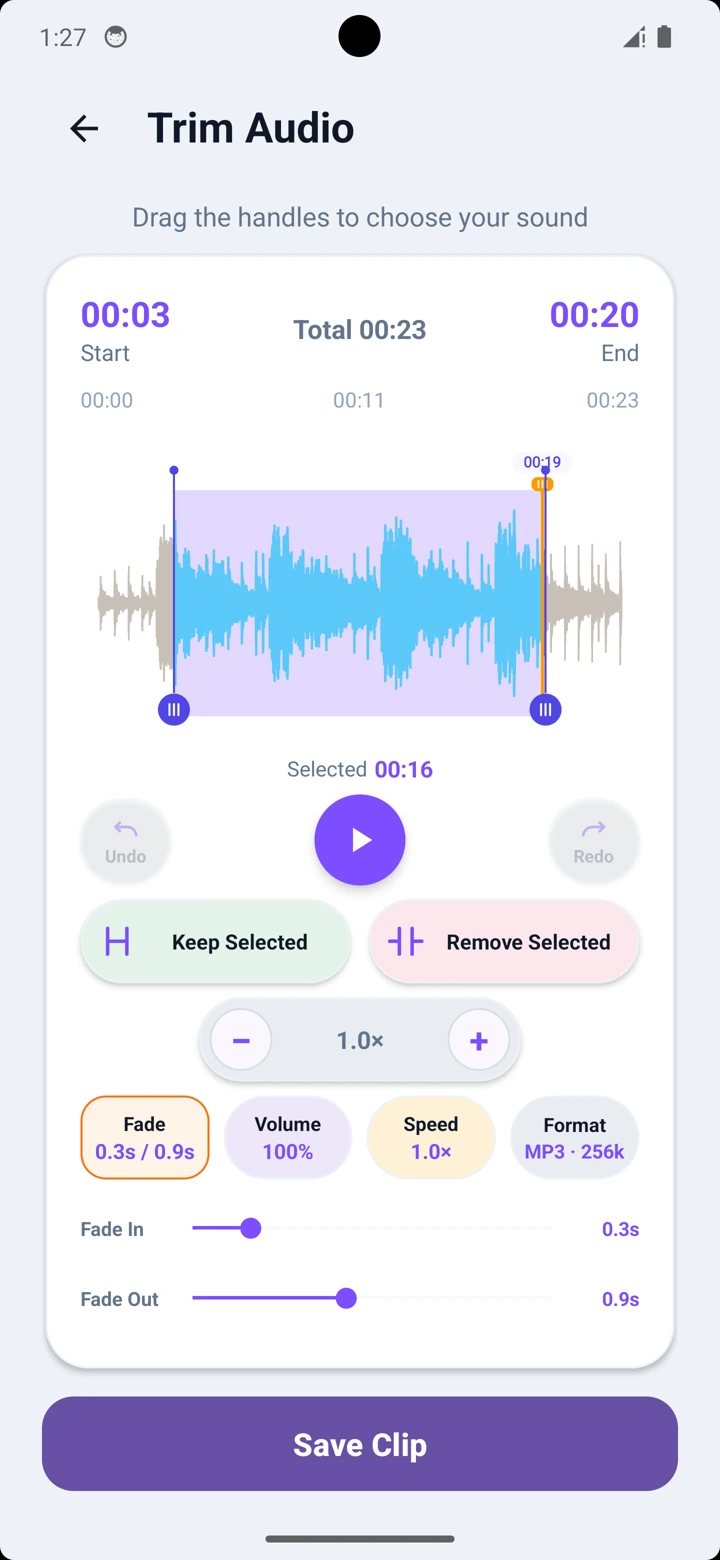
Browse all your device audio in one organized library, then search, filter and sort to find the perfect sound.
- Search your complete audio library
- Filter sounds by audio category
- Sort and open audio quickly
SEE IT IN ACTION
A polished experience
A polished experience
from the first tap.
YOUR AUDIO STAYS YOURS
Audio editing stays on your device.
The app accesses only audio you choose or share with it. Selected files and created clips are not uploaded to UniqMob servers.
Read the Privacy Policy →FAQ
Common questions.
How do I make a custom ringtone?
Choose an audio file, select the part you want and apply Keep Selected. Preview the result, review the output settings and save the clip. Choose Set as Ringtone and complete any Android permission or settings prompt.
Can I use audio shared from WhatsApp or another app?
Yes. You can open audio shared from WhatsApp and many other apps directly in Ringtone Maker.
Can I set notification, alarm and contact sounds?
Yes. Saved clips can be used as a ringtone, notification sound, alarm sound or contact ringtone, subject to device support.
Can I edit a saved clip again?
Yes. Open the saved clip’s edit options. To make a separate version while keeping the saved clip, choose Create New Clip from Original.
Can I convert a video to audio?
Yes. Choose a video from your device to extract its audio, then trim, edit, save, share or use the extracted sound as a ringtone.
Can I adjust the volume, speed and fade effects?
Yes. You can boost or reduce the volume, change the playback speed, and apply smooth Fade In and Fade Out effects before saving your clip.
How can I find audio stored on my device?
Use the Audio Library to browse, search, filter and sort the sounds available on your device, then select one to start editing.
Which output formats can I save?
Save edited clips as MP3, M4A or WAV. MP3 and M4A offer 128, 192 or 256 kbps quality choices; WAV has no bitrate selector.
Does the app upload my audio?
No. Audio editing is performed locally on your device. UniqMob does not upload selected audio files or created clips to its own servers.
RINGTONE MAKER: MP3 CUTTER
Get it onGoogle Play
Start creating your perfect ringtone today.
Pick. Trim. Preview. Save. Set.